Pack
My foundation for running Debian servers.
I need a foundation for the usual things: logs and metrics, backups, security. Say I come back to a server half a year later. I want to open the history and see what I changed there and whether the same command can run again. That is not something I want to leave to memory.
Why not Argo CD
I could have taken Argo CD or another ready-made tool. I was curious to try an unusual path and build the tool I use from my laptop myself. The choice has a price: besides the server settings, I write both the command for the laptop and the program on the server, and every operation has to keep its steps.
Pack on the blog's server
I set up Pack on this blog's server, and I honestly liked it. Everything the server needs lives inside Pack: the modules, their state, the history of changes. It may not be the most efficient way to solve the problem, but it works out of the box and suits my needs well.
What reaches me in Telegram
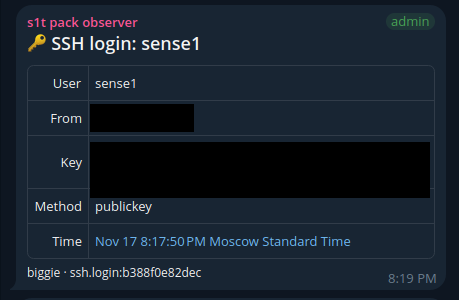
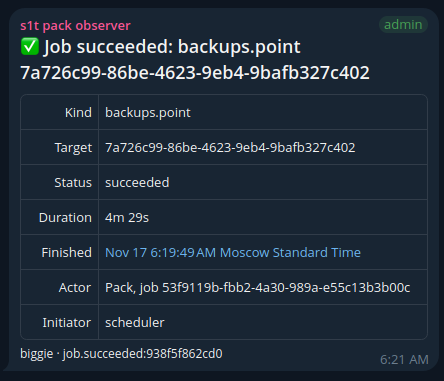
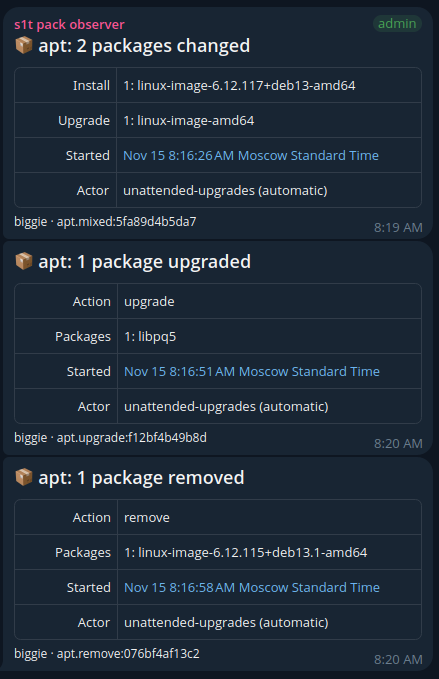
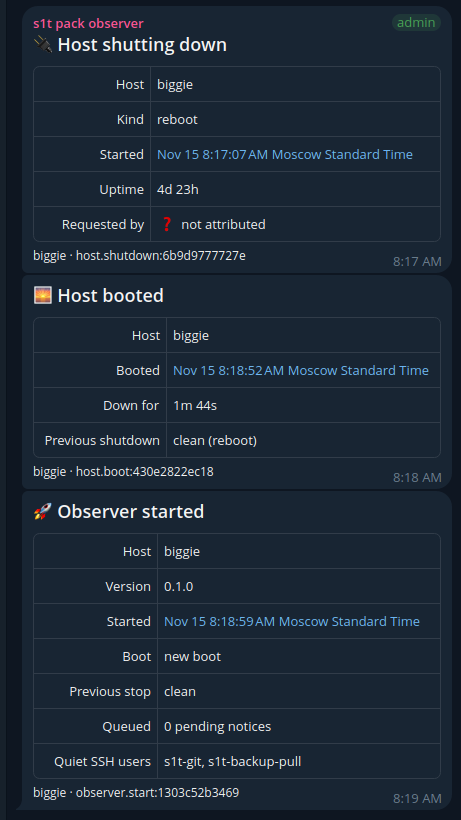
If you don't learn about a problem on a server right away, you may simply miss it. So Pack sends me everything important in Telegram: SSH logins, installs and updates, backups, reboots, failures. Seeing what happens on the server is the first and most important layer of security.
How one change goes
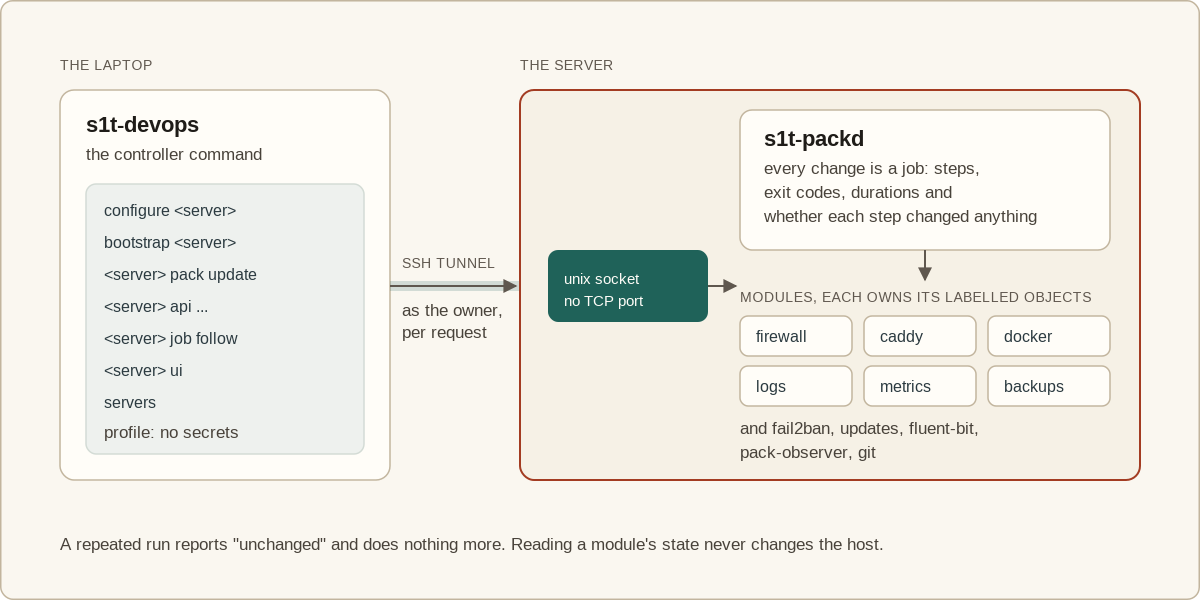
Take setting up the firewall. From the laptop I send a request, and on the server Pack opens a job for it. You can watch it run and come back to the same record later. Every step shows its duration, its exit code and the answer to "Did anything change?".
Pack installs modules on a server so that a repeated run changes nothing and says so.
A module touches only what carries its label, and a repeat reports "unchanged" instead of doing the work again.
- Describe the server.
s1t-devops configure <server> --defaultswrites the public profile of the host. The profile holds no secret. - Prepare the host.
s1t-devops bootstrap <server>checks the host key, sets up the owner, closes password and root login, and installs uv, Pack and its units. Each line of output says what changed and what stayed as it was. - Talk through a tunnel. The daemon has no TCP port, only a unix socket. The command opens an SSH tunnel to it for the time of a request, and
s1t-devops <server> uishows the same Pack in the browser. - Install a module. The request
POST /api/v1/modules/firewall/applystarts a job, andjob followshows its steps as they run. - Read the history. Each job keeps its steps, exit codes, durations and whether each step changed anything.
What you see after the setup
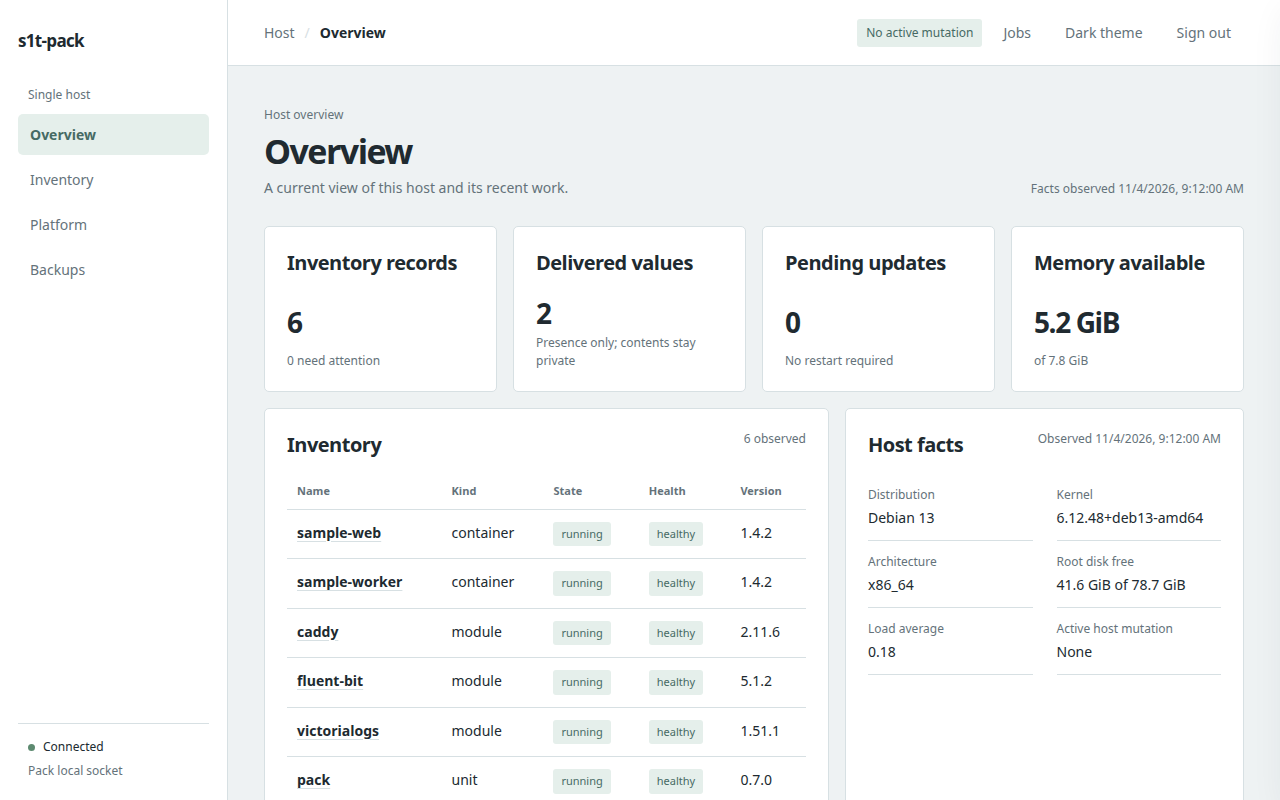
In the overview I can see what is installed on the server. When I need a more precise answer, I open the checks of a single module. Here, for example, is what you can learn about log collection.
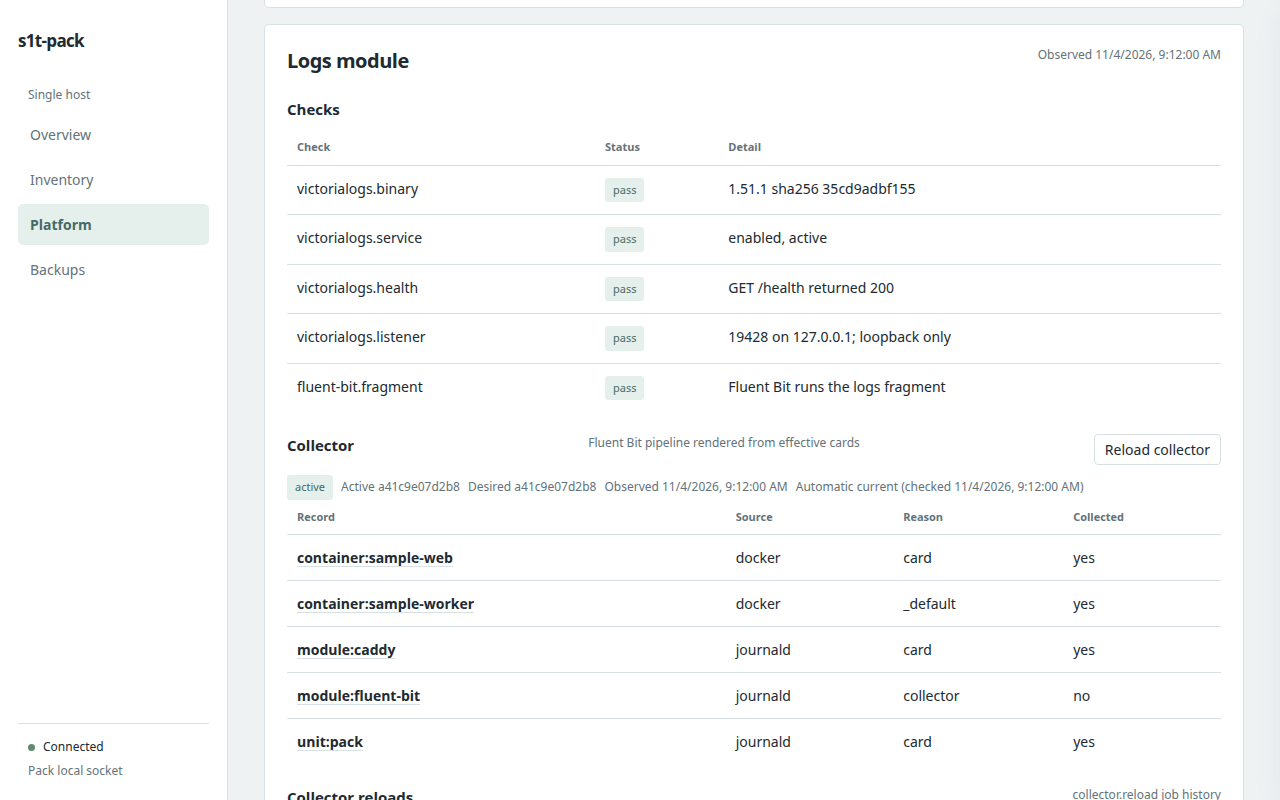
The catalog is fixed: firewall, fail2ban, updates, docker, caddy, fluent-bit, logs, metrics, pack-observer, backups and git. A module has one of five states, unavailable, not_installed, installed, degraded or unknown, and a set of checks, each of which says pass, fail, pending or unknown. Reading the state never changes the host.